npm install 报错:先查 node-gyp 和镜像
一个不装依赖的 Node 脚本,检查 Node/npm 版本、registry、代理、Python、C++ 编译器和 sharp,先分清是网络、版本还是编译问题,再动手重装。
30 秒速查
- 先跑
node resources/npm-doctor/doctor.mjs- 看四行:Node、npm、registry、代理
- Sharp 装不上:先换官方 registry,再清缓存
- 把第一段 error 留下来,不要只贴最后一行
这篇教程解决什么问题
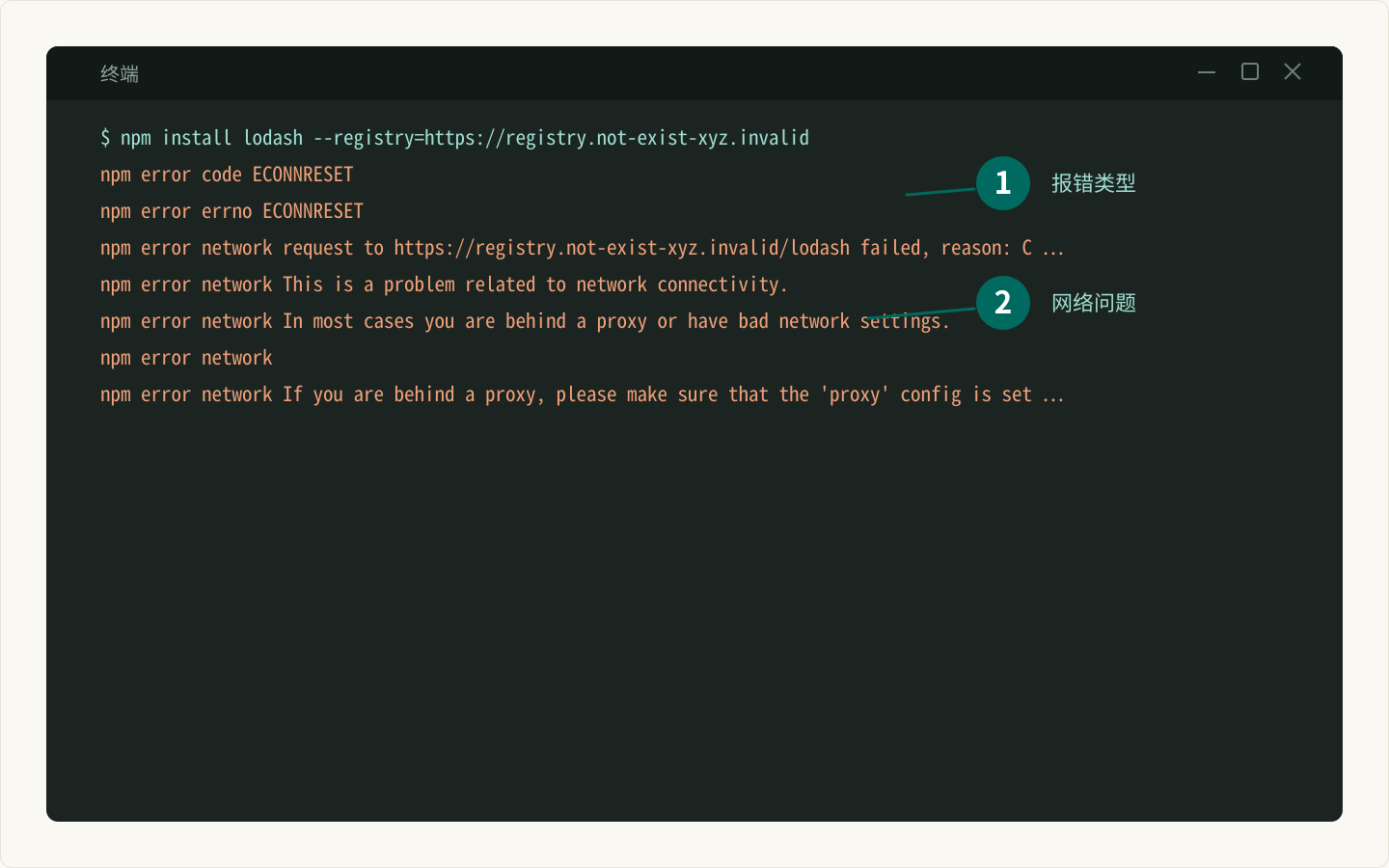
npm install 报错,终端刷出几十行,最后只看到一句 npm error code 1。重装 Node、删 node_modules、换镜像,一圈下来还是失败。
原因是「安装失败」背后至少有三类问题:网络/registry、Node 版本、本地编译工具。这篇先用一个脚本把环境读一遍,再按顺序修。
先查这六项
| 检查项 | 出问题时常见表现 |
|---|---|
| Node / npm 版本 | EBADENGINE、语法不兼容 |
| registry | ETIMEDOUT、404 |
| 代理 | 一直卡住,最后超时 |
| Python | node-gyp 找不到 Python |
| C++ 编译器 | gyp ERR! stack、缺少 build tools |
| sharp | 预编译包没下载,回退到源码编译 |
写脚本
保存为 resources/npm-doctor/doctor.mjs:
import { createRequire } from "node:module";
import { spawnSync } from "node:child_process";
import { pathToFileURL } from "node:url";

// 排查 npm install / Sharp 安装失败:Node、npm、registry、代理、编译工具。
// 只读环境信息,不修改任何配置。

const require = createRequire(import.meta.url);

function command(name, args = ["--version"]) {
  const result = spawnSync(name, args, { encoding: "utf8" });
  if (result.error || result.status !== 0) return null;
  return `${result.stdout ?? ""}${result.stderr ?? ""}`.trim().split("\n")[0];
}

function packageVersion(name) {
  try {
    if (name === "sharp") return require("sharp").versions.sharp;
    return require(`${name}/package.json`).version;
  } catch {
    return null;
  }
}

export function assess({
  node = process.version,
  npm = null,
  registry = null,
  proxies = [],
  python = null,
  compiler = null,
  sharp = null,
  nodeGyp = null,
} = {}) {
  const warnings = [];

  if (!npm) warnings.push("没有读到 npm 版本:确认 Node 安装完整。");
  if (!registry) warnings.push("没有读到 registry:检查 .npmrc 或网络。");
  else if (!registry.startsWith("https://")) {
    warnings.push(`registry 不是 https:${registry}`);
  }
  if (proxies.length > 0) {
    warnings.push(`检测到代理环境变量:${proxies.join("、")};代理不通时 npm 会超时。`);
  }
  if (!sharp) warnings.push("没有找到 sharp:先 npm install,或检查 optionalDependencies 是否被跳过。");
  if (!compiler && !sharp) {
    warnings.push("没有 C++ 编译器,sharp 也没有预编译包:需要安装 build tools 或换官方 registry。");
  }

  return {
    warnings,
    summary: warnings.length === 0 ? "环境看起来正常。" : `发现 ${warnings.length} 个需要注意的点。`,
  };
}

export function collect() {
  const platform = process.platform;
  const npm = command("npm", ["-v"]);
  const registryRaw = command("npm", ["config", "get", "registry"]);
  const registry = registryRaw ? registryRaw.split("\n").pop().trim() : null;

  const proxies = [...new Set(
    ["HTTP_PROXY", "HTTPS_PROXY", "ALL_PROXY", "http_proxy", "https_proxy"]
      .filter((name) => process.env[name])
      .map((name) => name.toUpperCase()),
  )];

  const python = platform === "win32" ? command("python") : command("python3") ?? command("python");
  const compiler =
    platform === "win32"
      ? command("where", ["cl"])
      : command("cc", ["--version"]) ?? command("g++", ["--version"]);

  return {
    node: process.version,
    npm,
    registry,
    proxies,
    python,
    compiler,
    sharp: packageVersion("sharp"),
    nodeGyp: packageVersion("node-gyp"),
  };
}

const isDirectRun =
  process.argv[1] &&
  pathToFileURL(process.argv[1]).href === import.meta.url;

if (isDirectRun) {
  const facts = collect();
  const report = assess(facts);

  console.log(`Node:${facts.node}(${process.platform} ${process.arch})`);
  console.log(`npm:${facts.npm ?? "未找到"}`);
  console.log(`registry:${facts.registry ?? "未找到"}`);
  console.log(`代理:${facts.proxies.length ? facts.proxies.join("、") : "未设置"}`);
  console.log(`Python:${facts.python ?? "未找到"}`);
  console.log(`C++ 编译器:${facts.compiler ?? "未找到"}`);
  console.log(`sharp:${facts.sharp ?? "未安装"}`);
  console.log(`node-gyp:${facts.nodeGyp ?? "未单独安装(通常由 npm 自带)"}`);
  console.log(`\n${report.summary}`);
  report.warnings.forEach((warning) => console.log(`- ${warning}`));

  if (report.warnings.length > 0) {
    console.log("\n建议顺序:");
    console.log("1. 先换官方 registry 重试:npm config set registry https://registry.npmjs.org/");
    console.log("2. 清缓存:npm cache clean --force");
    console.log("3. 再装一次并保留第一段 error:npm install --verbose");
  }
}脚本只读环境,不改配置、不装东西。registry 和代理直接来自 npm 配置与环境变量;sharp 用 require 读版本,装坏了会显示未安装。
真实输出
在一台 Linux 机器上跑:
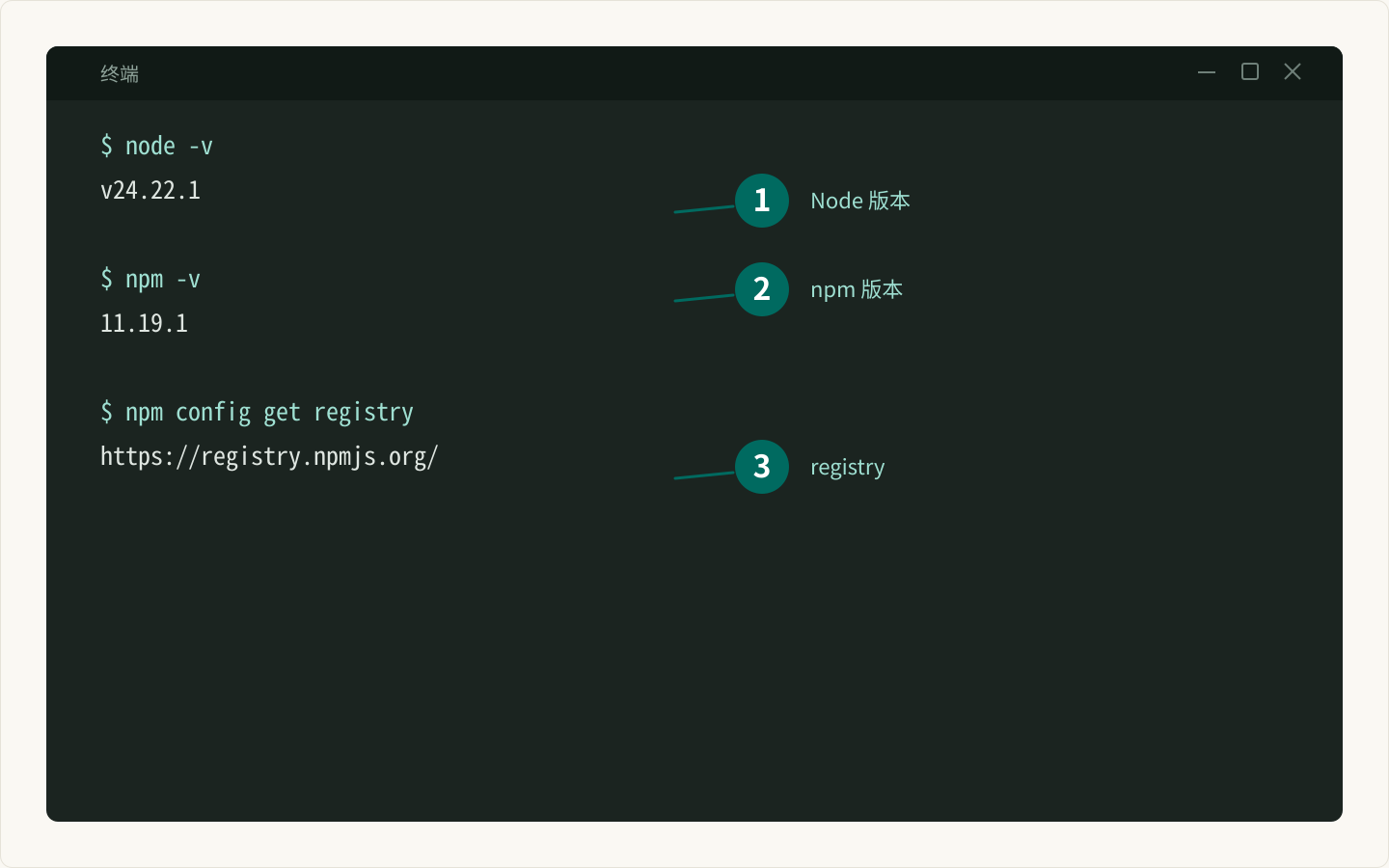
node resources/npm-doctor/doctor.mjsNode:v24.22.1(linux x64)
npm:11.19.1
registry:https://registry.npmjs.org/
代理:HTTP_PROXY、HTTPS_PROXY、ALL_PROXY
Python:Python 3.15.1
C++ 编译器:cc (Ubuntu 13.3.0-6ubuntu2~24.04.1) 13.3.0
sharp:0.35.5
node-gyp:未单独安装(通常由 npm 自带)
发现 1 个需要注意的点。
- 检测到代理环境变量:HTTP_PROXY、HTTPS_PROXY、ALL_PROXY;代理不通时 npm 会超时。
建议顺序:
1. 先换官方 registry 重试:npm config set registry https://registry.npmjs.org/
2. 清缓存:npm cache clean --force
3. 再装一次并保留第一段 error:npm install --verbose代理那一行不是错误,只是提醒:代理可用就继续;不可用就临时关掉。
按顺序修
- 换官方 registry:
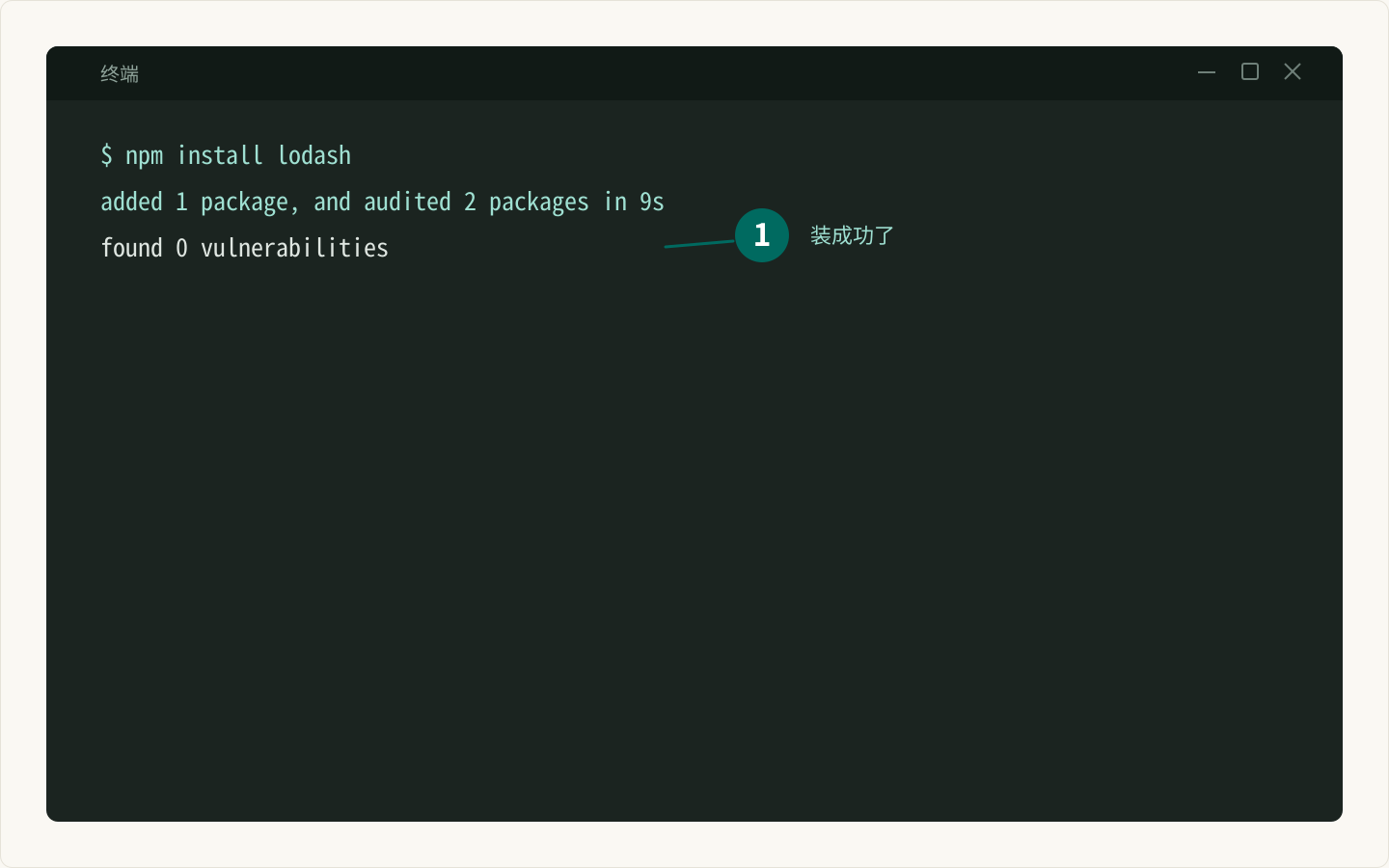
npm config set registry https://registry.npmjs.org/,再npm install。
- 清缓存:
npm cache clean --force,删掉项目里的node_modules和package-lock.json后重装。 - 确认 Node 版本:
node -v;项目要求更高版本时,先升级 Node,不要硬装。 - Sharp 仍失败:先确认平台有预编译包;没有时再装 Python 和 C++ build tools。
- 保留日志:
npm install --verbose 2>&1 | tee install.log,把第一段 error 留下。
常见坑
1. 只贴最后一行
最后一行通常只是 code 1。真正原因在第一段 gyp ERR! 或 npm error 里;贴日志要贴开头。
2. 代理只配了一半
HTTP_PROXY 配了、HTTPS_PROXY 没配,npm 访问 https 仍然超时。用 npm config get proxy 和 npm config get https-proxy 再确认一次。
3. 用管理员权限硬装
sudo npm install 会把文件权限改成 root,后面更麻烦。项目内安装不需要 sudo;全局安装才考虑权限方案。
4. 忽略 optionalDependencies
Sharp 是可选依赖,--no-optional 或镜像裁剪可能跳过它。装完用 node -e "console.log(require('sharp').versions.sharp)" 确认。
下一步读什么
环境修好后,回到从 0 开始:第一台自动化工作台继续跑脚本;图片处理相关看 Sharp 工具页。
如果报错是 AI 接口的 429 或超时,不是 npm 问题,去看能重试的 AI API 客户端。
常见问题
为什么不要直接删 node_modules 重装?
删除重装能解决缓存和半截安装,但解决不了 registry 不通、Node 版本不对或缺少编译工具。先看诊断结果,能少走很多弯路。
代理开着一定会失败吗?
不一定。代理能访问 npm registry 就没问题;代理挂了或只配了 http 没配 https,npm 就会超时。先确认代理可用,或临时关掉再装。
sharp 一定要编译吗?
大多数平台会下载预编译包,不需要本地编译。只有平台没有对应预编译包,或强制从源码安装时,才需要 Python 和 C++ 编译器。
node-gyp 报错该看哪一行?
先看第一段 error 和它上面的 gyp ERR! 行,通常会指出缺 Python、缺编译器或找不到 Node 头文件。最后一行往往只是「安装失败」。
每周一张复习表
每周分享一张实用复习表,不收钱不打扰,想走随时走
邮箱存在 Cloudflare KV 里,只用来发每周更新;任何时候写信到hello@genwozuo.com说「退订」就删掉。详见隐私政策。